 ×84
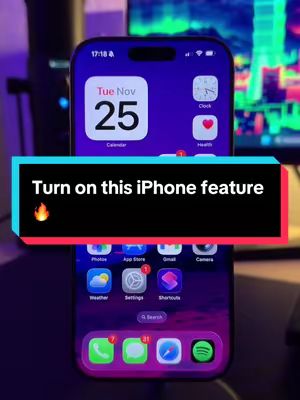
×84“Turn on this iPhone feature right now 🔥”
@hackphonew · 201K followers
×84its author's usual
This creator normally gets 102K views. This one got 8.6M. That gap — not the raw number — is what makes the format worth copying.
The video demonstrates how to enable haptic feedback for the iPhone keyboard by navigating through the settings menu. It starts with a lock screen view, then shows the user opening settings, going to 'Sounds & Haptics', then 'Keyboard Feedback', and finally toggling on 'Haptic'.
Open original ↗8.6M
Views
1.8%
Engagement
85/100
Virality
Likes 149KComments 1.1KShares 4.2K
Why it worked
The video works because it offers a quick, actionable tip for iPhone users, leveraging a trending audio and clear on-screen instructions. The 'thank me later' hook creates curiosity and a sense of immediate value, encouraging viewers to watch and implement the hack.
clear, concise instructionstrending audio usedirect call to action in hookvisual demonstration is easy to follow
tech tipstutorialsproductivity hacks
How to reproduce this format
More tech hooks that worked
 “Extremely flexible—can be rolled, folded, and shaped into any form.”×12045 its author's norm
 “This is the AI update I have been waiting for since I was 12. OpenAI just dropped a coding agent that does pretty much EVERYTHING now.”×7647 its author's norm
 “what if you lost everything?”×4411 its author's norm
 “People think this is real… but it’s actually made with AI 🤯”×2360 its author's norm
Explore more